
Critical PHP Vulnerabilities in 2026: A Practical Guide to Securing and Modernizing Legacy Applications
How businesses can address the October 2026 PHP security vulnerabilities, upgrade outdated applications, and reduce security risks without unnecessary operational disruption.
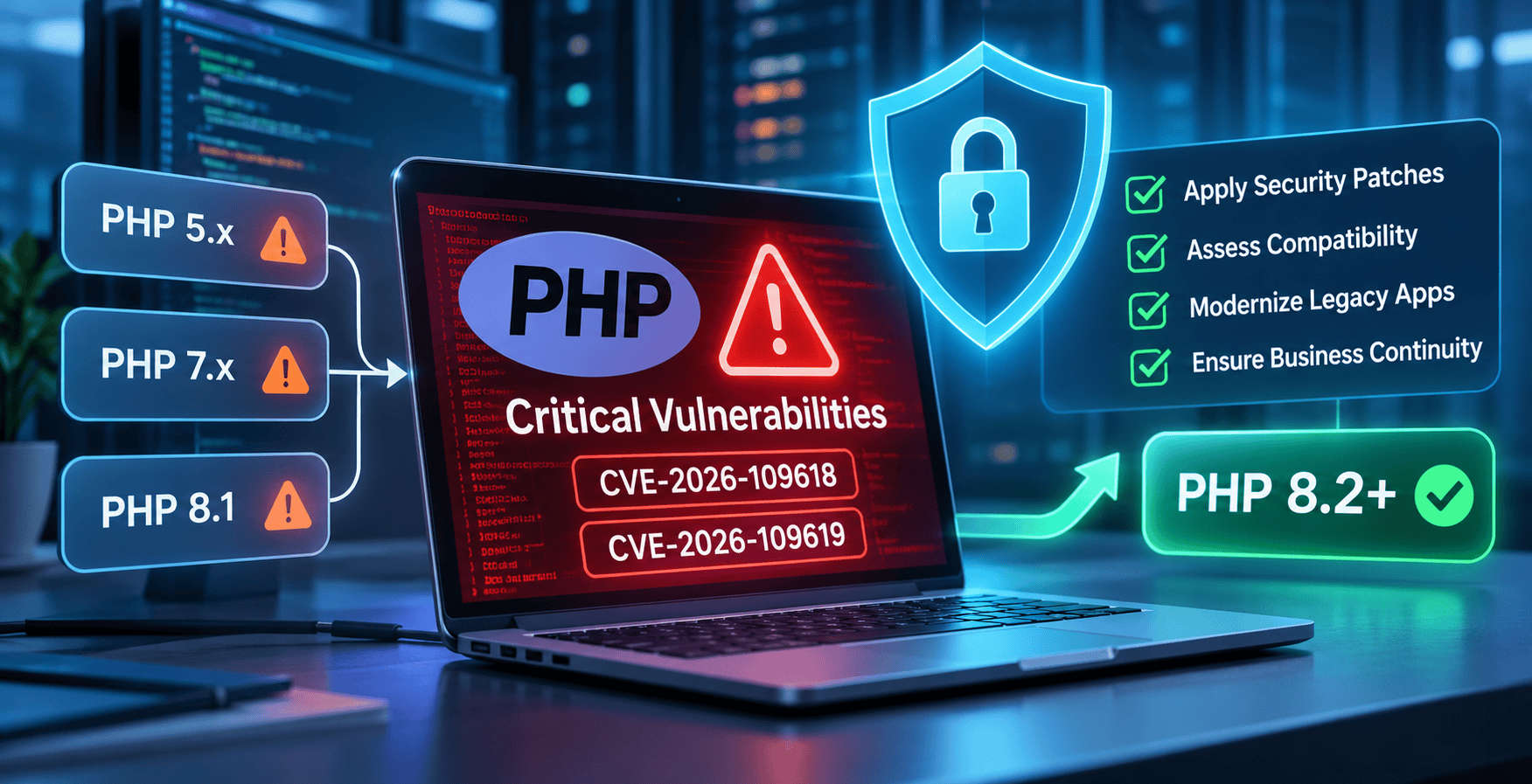
Two Critical PHP Vulnerabilities Have Put Legacy Applications Under the Spotlight
On 21 October 2026, the PHP development team released emergency security updates addressing two critical vulnerabilities in the PHP runtime: CVE-2026-109618 and CVE-2026-109619.
Both vulnerabilities received a CVSS v4.0 severity score of 9.2. Under certain conditions, attackers could exploit these flaws to execute malicious code remotely without authentication.
For organizations running PHP-based business applications, this is more than another software security alert. It is a reminder of how much business infrastructure depends on technology that must be maintained and updated.
The immediate priority is to identify vulnerable PHP installations and apply the appropriate security fixes.
But for businesses still relying on PHP 5.x, PHP 7.x, or outdated frameworks, the situation is more complicated.
Understanding the October 2026 PHP Security Vulnerabilities
The vulnerabilities affect PHP’s internal memory management and request processing. Unlike security flaws caused by poorly written application code, these issues exist within the PHP runtime itself.
CVE-2026-109618: Memory Corruption During Error Handling
PHP uses internal mechanisms to handle unexpected errors, including out-of-memory conditions. Under certain circumstances, an out-of-memory error can interrupt request processing while internal data structures are only partially initialized. Subsequent cleanup operations may incorrectly process that data, creating a memory-corruption vulnerability that could lead to remote code execution.
CVE-2026-109619: Unsafe Reuse of Request State
This vulnerability involves internal PHP state that can continue referencing memory after it has been freed. When a later request interacts with that stale state, the resulting memory-safety issue may allow an attacker to execute code.
Why These Vulnerabilities Matter
The PHP development team’s security advisory identifies internet-facing PHP installations as a particular concern. The risk extends beyond any single framework or content management system.
In vulnerable configurations, exploitation can occur at the runtime level, potentially before the application’s usual authentication controls are reached. A successful attack could result in unauthorized server access, sensitive data exposure, malicious code execution, or service disruption.
The lesson for businesses is straightforward: secure application code cannot compensate for an unpatched underlying runtime.
Which PHP Versions Need Security Updates?
The PHP development team released fixes on 21 October 2026 for the following supported branches. Organizations should install the latest applicable security-fixed version or a verified vendor-maintained package containing the fixes.
| PHP Branch | First Security-Fixed Release |
|---|---|
| PHP 8.2 | 8.2.35 |
| PHP 8.3 | 8.3.36 |
| PHP 8.4 | 8.4.27 |
| PHP 8.5 | 8.5.12 |
PHP 8.1 and earlier branches are no longer supported by the upstream PHP project and did not receive these fixes through normal PHP releases. Check the official PHP supported versions page for current support status. Organizations running those versions need to assess vendor-supported options and plan a transition to a supported PHP branch.
Temporary network restrictions and other security controls may reduce exposure, but they are not complete substitutes for patching.
Why Upgrading Legacy PHP Applications Is Not Always Straightforward
A PHP version upgrade may appear to be a routine server maintenance task. For a modern application with maintained dependencies and automated tests, the process may be relatively manageable. For an application developed several years ago, however, upgrading PHP can affect multiple layers of the system.
Consider a business platform developed using PHP 7.3 and an older CodeIgniter framework. The application may still process customer orders, generate invoices, manage inventory, and support essential business workflows. Yet moving it directly to PHP 8.4 or PHP 8.5 could introduce compatibility issues.
Common challenges include:
- Deprecated or removed functionality: Older code may depend on PHP functions or behaviors that have changed.
- Outdated frameworks: Legacy framework versions may not support newer PHP runtimes.
- Incompatible libraries: Third-party packages may require upgrades, replacements, or code changes.
- Database compatibility: Older drivers and database access methods may need modification.
- Undocumented business logic: Important application behavior may be difficult to understand without the original development team.
- Integration dependencies: Payment gateways, ERP systems, accounting platforms, and external APIs may require additional validation.
These problems explain why some organizations postpone upgrades even when they recognize the security risks. The application works, and the business cannot afford to have it suddenly stop working. Unfortunately, postponing maintenance does not eliminate the underlying problem. It often makes the eventual upgrade more complicated.
The Hidden Business Risk of Running Unsupported PHP
Legacy software is not automatically insecure simply because it is old. The concern is whether the technology remains maintainable, supported, and capable of receiving appropriate security updates.
When a PHP branch reaches end of life, the upstream project stops providing normal security maintenance for it. Organizations may still receive backported fixes through specific commercial or operating-system support arrangements. Those arrangements need to be confirmed rather than assumed.
Without dependable security maintenance, businesses can face increasing exposure to newly discovered vulnerabilities. There are operational consequences as well. Older frameworks can make development slower. Unsupported dependencies can complicate integrations. Limited documentation can make even relatively small changes difficult.
How Minebrat Approaches Legacy PHP Application Modernization
At Minebrat, we view PHP modernization as both a software engineering initiative and a business continuity challenge. The objective is not to replace an existing application simply because it was built using an older technology. It is to understand what the application does, identify where the risks exist, and determine how to move it toward a more secure and maintainable architecture.
Where practical, we prefer a phased approach that preserves existing business functionality and avoids unnecessary disruption.
1. Assess the Application and Its Infrastructure
Modernization begins with understanding the current environment. Our assessment covers the PHP runtime, application framework, codebase, dependencies, database, hosting infrastructure, integrations, and deployment processes. We also examine scheduled jobs, background processes, backup arrangements, and recovery capabilities. Just as importantly, we identify the business workflows that must remain operational throughout the project.
Expected outcome: A technical assessment, risk register, and recommended modernization roadmap.
2. Address Immediate Security Exposure
When a critical vulnerability affects a production system, a long-term modernization project cannot be the only response. The first priority is to assess exposure and implement appropriate security measures. Depending on the environment, this may involve applying verified patches, restricting public access, reviewing server permissions, examining logs, and validating backups. Where a vulnerable system cannot be adequately protected, temporary isolation or service suspension may need to be considered.
Expected outcome: A documented remediation approach that addresses urgent exposure while the longer-term upgrade is planned.
3. Identify Compatibility Issues Before Upgrading
Before changing the production runtime, we evaluate how the application is likely to behave on the target PHP version. This includes reviewing deprecated functions, framework compatibility, third-party dependencies, database drivers, and external integrations. We then categorize the required changes according to complexity and business risk.
Some applications need relatively straightforward code and dependency updates. Others may require selective refactoring, framework migration, or architectural changes. The goal is to choose an approach based on the application’s actual condition rather than assuming every legacy system requires a complete rewrite.
Expected outcome: A prioritized upgrade plan with technical dependencies, effort estimates, testing requirements, and deployment risks.
4. Build a Separate Modernization Environment
Making major compatibility changes directly on a production server creates unnecessary risk. Where the architecture allows, we establish a separate environment for modernization and testing. This environment can include a supported PHP runtime, updated dependencies, compatible web server components, a controlled database, and the integrations required for validation. The existing production application continues supporting business operations while the upgraded version is developed and tested independently.
Expected outcome: A controlled environment for testing the modernized application before production deployment.
5. Modernize the Application Incrementally
Once compatibility issues are understood, the engineering work can begin. Typical changes include replacing deprecated functions, upgrading maintained libraries, updating database connectivity, refactoring incompatible components, and improving error handling. We also review opportunities to remove obsolete dependencies and strengthen application security.
Where an existing framework remains maintainable, upgrading it may be sufficient. Where a framework is no longer supported, a phased migration to a newer architecture may be the better long-term choice. The emphasis is on retaining valuable business functionality while reducing technical risk.
Expected outcome: An application compatible with the selected supported technology stack and its required business workflows.
6. Validate Technical and Business Functionality
An application that starts successfully on a newer PHP version is not necessarily ready for production. It must still perform the business functions people depend on. Testing should cover authentication, user permissions, database transactions, third-party integrations, scheduled jobs, performance, and application security. Critical workflows such as payments, invoicing, reporting, and customer transactions require particular attention. Business stakeholders should also participate in user acceptance testing to confirm that the upgraded application behaves as expected.
Expected outcome: Documented test results and business acceptance criteria before deployment.
7. Plan a Controlled Production Migration
After testing, the next step is to transition the upgraded application into production. The deployment strategy depends on the architecture, infrastructure, database requirements, and acceptable downtime. Possible approaches include blue-green deployment, phased traffic migration, rolling deployment, or a scheduled cutover. A migration plan should include verified backups, deployment checkpoints, rollback procedures, post-deployment testing, and monitoring.
Not every legacy application can be upgraded with zero downtime, especially when database structures or tightly coupled integrations must change. The objective is to minimize interruption, understand the risks, and establish recovery procedures before the transition begins.
Expected outcome: A controlled production migration with business continuity and recovery considerations built into the plan.
Example: Modernizing a PHP 7.3 Business Application
Consider a company that uses a custom PHP 7.3 application for customer records, order processing, invoicing, and reporting. The system has been running for years and supports daily business operations. A direct upgrade to a modern PHP runtime reveals compatibility problems in the framework and several third-party libraries.
Rather than immediately replacing the entire platform, the company could take a phased approach. The first step would be to assess the existing application and address immediate security exposure. Next, a separate environment could be established using a supported PHP runtime. The development team would then update incompatible components, validate existing workflows, and test external integrations. After functional testing, performance checks, and user acceptance testing, the application could be moved into production through a planned deployment.
This approach can preserve existing business logic while reducing dependence on outdated technology.
This example is illustrative and does not describe a specific Minebrat client engagement.
The Business Benefits of PHP Modernization Go Beyond Security
Security vulnerabilities often create the urgency to modernize. But a well-planned upgrade can deliver benefits beyond addressing the immediate threat.
Stronger Security and Compliance Readiness
Supported runtimes and maintained dependencies make it easier to apply security updates, manage vulnerabilities, and support compliance activities.
Lower Operational Risk
Documented application behavior, tested recovery procedures, and maintained technology reduce reliance on unsupported components and undocumented technical knowledge.
Better Performance Opportunities
Modern PHP runtimes and updated infrastructure may improve response times and resource efficiency. The actual benefit depends on the application and should be measured through performance testing.
Faster Future Development
Updated frameworks, dependency management, automated testing, and deployment pipelines can make future enhancements easier to implement and maintain.
A Foundation for Further Modernization
Once an application is running on a supported technology stack, organizations may find it easier to introduce APIs, cloud integrations, workflow automation, analytics, and AI-enabled capabilities. Modernization can therefore help protect existing investments while preparing applications for future business requirements.
Five Actions Businesses Running Legacy PHP Should Take Now
If your organization depends on PHP applications, start with these priorities.
- Identify every PHP installation. Review production, staging, development, internal servers, containers, and other environments where PHP may be running.
- Check security exposure. Compare installed versions and vendor packages against current security advisories. Give particular attention to internet-facing systems.
- Apply the required fixes. Upgrade affected runtimes to verified security-fixed releases. Where immediate patching is not possible, assess whether the system needs to be restricted or isolated.
- Review application compatibility. Identify outdated frameworks, unsupported libraries, obsolete integrations, and code that may prevent a runtime upgrade.
- Create a modernization roadmap. Prioritize security, critical business workflows, technical dependencies, testing, and deployment readiness.
These actions help turn an urgent security concern into a manageable engineering plan.
Modernize Your PHP Application Without Losing What Already Works
The October 2026 PHP vulnerabilities highlight a challenge many organizations face. Their applications continue supporting the business, but the technology underneath them becomes increasingly difficult to maintain securely. Replacing the entire system is not always the right answer.
In many cases, a carefully planned upgrade can preserve established business processes while addressing security risks and technical debt.
At Minebrat Private Limited, we combine business analysis, software architecture, product engineering, cloud infrastructure, and DevOps practices to help organizations assess and modernize business-critical applications. Our focus is not simply on moving an application from one PHP version to another. It is on helping organizations build a more secure, maintainable, and scalable technology foundation while protecting the operations that depend on it.
Running an Older PHP Application? Start With a Modernization Assessment.
If your organization relies on PHP 5.x, PHP 7.x, or an outdated PHP 8.x application, now is a good time to evaluate its security and upgrade readiness. Minebrat can help assess your application, identify compatibility challenges, prioritize risks, and develop a phased modernization strategy.
Frequently Asked Questions
1. What are the critical PHP security vulnerabilities discovered in October 2026?+
Two critical PHP vulnerabilities, CVE-2026-109618 and CVE-2026-109619, were addressed through security updates released on 21 October 2026. Both received CVSS v4.0 severity scores of 9.2 and involve memory-safety issues in the PHP runtime. Under certain conditions, attackers could exploit these vulnerabilities to execute malicious code remotely without authentication.
Organizations should review the official PHP security releases and apply the appropriate fixes.
2. Which PHP versions are affected by the October 2026 vulnerabilities?+
The vulnerabilities affected PHP installations across several branches. The first security-fixed releases were PHP 8.2.35, PHP 8.3.36, PHP 8.4.27, and PHP 8.5.12.
Organizations should use the latest applicable security-fixed version rather than assuming every installation of PHP 8.2 or newer is protected. Older PHP versions may also require remediation, depending on the installation and vendor support arrangements.
3. Is PHP 7 still secure to use in 2026?+
PHP 7.x has reached end of life and no longer receives normal upstream security updates from the PHP development team. Check the official PHP supported versions page for current support status.
An application running PHP 7 may continue functioning correctly, but unsupported runtimes create security and maintenance risks. Some organizations may have access to vendor-maintained security backports, but these arrangements must be verified individually. For long-term security and maintainability, businesses should plan to migrate PHP 7 applications to a currently supported PHP version.
4. Can PHP vulnerabilities be exploited without login credentials?+
Yes. Certain vulnerabilities in the PHP runtime can potentially be exploited without valid application credentials. The October 2026 vulnerabilities involve internal memory-safety issues rather than ordinary application login functionality. The UK National Cyber Security Centre advisory identifies internet-facing PHP installations as a particular concern.
The possibility of exploitation depends on the affected PHP version, server configuration, application exposure, and other technical conditions. Strong authentication remains important, but it does not replace runtime security patching.
5. How can I check which PHP version my application is running?+
The PHP version can be checked using the command php -v, but this reports the PHP version used by the command-line environment, which may differ from the version running the website.
Administrators should also verify the PHP runtime configured for the web server, PHP-FPM processes, containers, and other application environments. The installed version and vendor package details should then be compared with current PHP security advisories.
6. Can I upgrade directly from PHP 5 or PHP 7 to PHP 8?+
A direct upgrade may be technically possible, but application compatibility cannot be assumed. Legacy applications often depend on deprecated PHP functions, outdated frameworks, unsupported libraries, and older database drivers.
Before upgrading, organizations should assess their codebase, identify incompatible components, establish a separate testing environment, and validate critical business workflows. A phased modernization approach can reduce the risk of unexpected application failures.
7. Do legacy PHP applications need to be completely rewritten?+
Not necessarily. Many legacy PHP applications can be modernized incrementally by updating incompatible code, replacing unsupported dependencies, upgrading frameworks, and improving infrastructure.
A complete rewrite may be appropriate when the existing architecture is severely outdated, difficult to maintain, or unsuitable for future business requirements. The decision should follow a technical and business assessment rather than being based solely on the application’s age. Minebrat can help assess the right approach for your specific application.
8. How long does it take to modernize a legacy PHP application?+
The timeline depends on application size, code quality, framework compatibility, integrations, testing requirements, and deployment complexity. A relatively small application with maintained dependencies may require less effort than a large business platform with undocumented workflows and obsolete integrations.
A technical assessment helps establish a realistic project scope, implementation timeline, and migration plan. Contact Minebrat to discuss a Legacy PHP Application Modernization Assessment.
9. Can a PHP application be upgraded without downtime?+
In some environments, downtime can be minimized through parallel deployment, blue-green deployment, phased traffic migration, or rolling deployment. However, zero downtime cannot be guaranteed for every application.
Database schema changes, tightly coupled integrations, and stateful processes may require a controlled maintenance window. A reliable modernization plan should include testing, backups, rollback procedures, and post-deployment monitoring.
10. How can Minebrat help modernize legacy PHP applications?+
Minebrat Private Limited helps organizations assess and modernize business-critical software applications. Its modernization capabilities include application assessment, software architecture, compatibility remediation, dependency upgrades, infrastructure modernization, testing, and controlled deployment planning.
The objective is to reduce security and maintenance risks while preserving essential business functionality. Organizations running outdated PHP applications can contact Minebrat to discuss a Legacy PHP Application Modernization Assessment.
Technical References
- PHP Development Team — October 2026 security releases
- PHP Development Team — PHP Downloads
- PHP Development Team — Supported PHP Versions
- UK National Cyber Security Centre — Critical security issue affecting PHP
- Google Cloud — Responding to core PHP vulnerabilities
Related Solutions
Related Insights
Ready to Secure and Modernize Your PHP Application?
Discuss your legacy PHP application with Minebrat. We help you assess security exposure, identify compatibility challenges, and develop a phased modernization strategy.